OverviewApplications
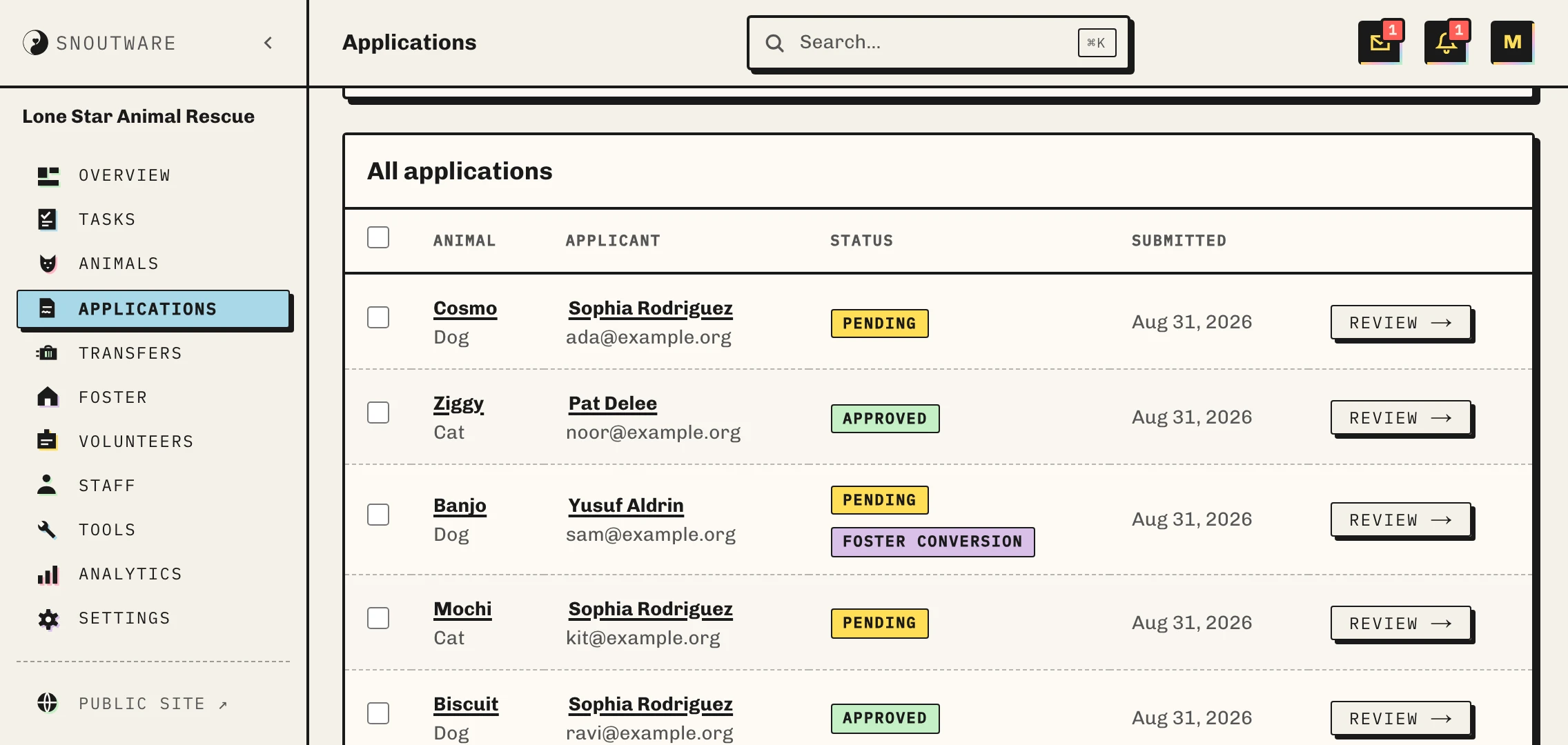
Applications arrive in one queue.
You write the questions. References and landlord checks are tracked against the application itself, and everyone on staff sees the same decision and who made it.
One guided flow, from submitted to adopted.
The application page shows the stage it is at and the one action that moves it on: the decision, then the contract, then the signature, then the signed PDF. Nobody has to remember what happens next, because only the next thing is on screen.
01
Submitted02
Under review03
Approved04
Contract sent05
Signed06
AdoptedSigning flips the animal to adopted on its own. Declined and withdrawn are off-ramps, not dead ends: reopening puts the application back in review rather than approving it out of a closed state.
The form asks what you would have asked.
Build the application in a drag-and-drop canvas: keep the built-in sections you want, hide the ones you do not, and add your own sections and questions anywhere in the order. Different forms for different animals, so a dog applicant is never asked the cat questions.
01
Your questions, your order
Built-in and custom sections sit in one list you can drag. Flip to Preview to read the form the way the adopter will, then flip back and fix the question that reads badly.
02
The landlord answers on their own page
Choose which references you ask for. Send the request from the application, the landlord or the vet replies on a link of their own, and the answer lands back on the record. Got them on the phone instead? Write down what they said in the same place.
03
The email is on screen before it goes
Approve, decline or ask for more information, and the message to the applicant is right there, editable, before you confirm. Change a word or change all of it. They hear it in your voice, not ours.
Triage a morning’s worth in one pass.
Tick the rows, pick where they go, and write one line about why. That line is filed on every application you picked, under your name, staff-only. Moving to pending, under review, request-info or declined all go in one pass; approving stays one at a time, because approving moves an animal too. If somebody else moved one while you were reading, the batch stops and tells you instead of half-applying.
PendingBiscuitReview
Info requestedMochi & PebbleWaiting
Under reviewMarloweToday
ApprovedSaltYesterday
When one adopter has applied for several animals, the others are on the page while you decide. Approving one can decline the rest, but only the ones you tick: bonded pairs and two-pet households are the reason it is never the default.
Notes are a thread, not a text box.
Every note carries its author and its time, and only the author can edit it. The thread stays on the page after the decision, so six months later you can see what the call was based on. Notes stay with staff. The applicant’s email is written separately, and you read every word of it before it sends.
NoteMarta10:42
NoteDev11:15
DecisionApproved by Marta11:20
SnoutWare is open in early access.
Free to use. Five dollars when an animal is adopted.